Optimize your geospatial workflow with Google Earth & Pythagoras CAD
Google Earth is a powerful visualization tool that, when combined with Pythagoras CAD software, enhances spatial awareness and accuracy. Whether you’re verifying coordinate systems, sharing data, or using Street View for additional context, integrating Google Earth into your workflow ensures precise location-based insights.

What is Google Earth in Pythagoras CAD?
Pythagoras supports multiple coordinate systems and automatically applies the correct transformation parameters to ensure compatibility with WGS84, the coordinate system used by Google Earth. This seamless integration allows you to visualize and verify your data within a global context. Additionally, Street View functionality provides a real-world perspective, helping you cross-check locations and assess site conditions.
Pythagoras supports multiple coordinate systems and automatically applies the correct transformation parameters to ensure compatibility with WGS84, the coordinate system used by Google Earth. This seamless integration allows you to visualize and verify your data within a global context. Additionally, Street View functionality provides a real-world perspective, helping you cross-check locations and assess site conditions.

Why use Google Earth in Pythagoras CAD?
- Ensure accuracy: Avoid coordinate system errors and verify that your data aligns correctly on the map.
- Easy sharing: Export and share your location-based data effortlessly with colleagues and clients.
- Clear visualization: Google Earth provides an intuitive way to interpret spatial data, enhancing decision-making with real-world imagery.
How to use Google Earth in Pythagoras?
By integrating Google Earth into your workflow, you gain an intuitive and efficient way to validate spatial data. It enables better planning, improves collaboration, and ensures accurate location representation. Whether you need to confirm coordinates, assess terrain, or share visual insights, Google Earth enhances the way you work with geospatial information.
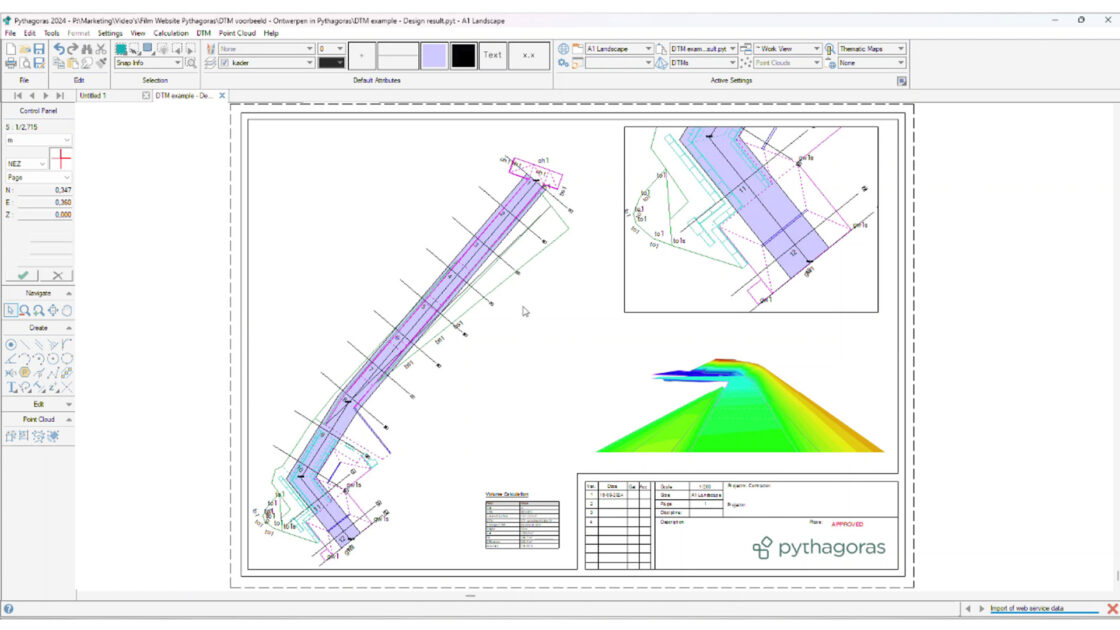
For a step-by-step demonstration, watch the video below ⤵️
Convinced? Download your free trial (if you don’t already have it).
Start your free trial Or book your demo to learn moreRelated articles

What’s new in Pythagoras CAD? Discover the upcoming major release!
A new major release of Pythagoras CAD is coming. Discover the latest features, from dynamic reports and data annotations to 3D terrain editing, smarter drawing tools and improved performance.
INTERGEO 2026: Discover the Latest Pythagoras CAD Release in Munich
Meet Pythagoras CAD at INTERGEO 2026 in Munich and discover our latest major release, with new features and improvements designed to make surveying workflows faster and more efficient.
Pointorama introduces AI-powered floorplan generation
Pointorama introduces AI-powered floorplan generation, allowing users to automatically create editable floorplans from point cloud data in seconds while keeping full control over every detail.